Here are some basic tips to help you while using the Command Prompt or ‘cmd’.
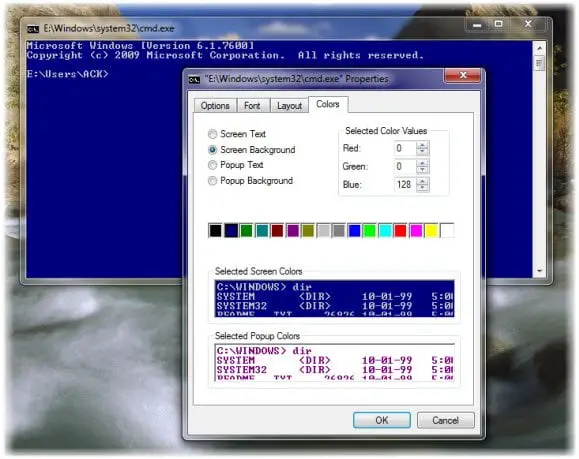
1. You can customize your black cmd any way you want. Click on the black cmd icon which appears in the top left side of the title bar and select Properties. Here you can change options, fonts, layout and colors too.

customize cmd
2. You cannot use Ctrl+V or Ctrl+C to paste or copy.
You can simply right click in the cmd and select paste to paste the copied text.
To copy, you have to right click inside the cmd, select Mark and then drag the highlighted box to the text you want to copy. Right click on the text. It will automatically get copied.
Alternatively, open the Properties box and from the Options tab, select Quick Edit option. Now you will be able to copy as usual.
3. Rather than typing the full path of a file, you can simply drag and drop the file. The full path will get entered.
4. To auto complete file paths, type the first part of the path, say E:\ . Now click on Tab. All available file names & folders will be cycled.
5. Pressing arrow up selects a previous command from your command history; similarly, arrow down selects the next command. To see your complete command prompt history, press the F7 key.
Incidentally, running cmd in full screen mode, by pressing Alt+Enter, is no longer supported, from Windows Vista onwards.(windowsclub)